I f o r m a c i o n

Mbydheni Prezantimi

Mbydheni Promovim

Sherbime

Mbydheni Produktet

Mbydheni Shperndarje

Mbydheni Te ndryshme

Vizitave

   vizitoret

   vizitor ne linjė

Leter informacioni
Per tu informuar me te rejat e sitit, regjistrohuni ne Newsletter.
Abonim
Per ē'abonim
Abonent
( asnje )

Snif !!!
Webmaster - Infos
box 4
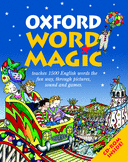
Oxford Word Magic CD ROM

   2430  L   -  1600 lek


Text  Shpjegimi
Rekomandi kete web-sit tek miqte tuaj

Faleminderit per mesazhin tuaj.

Emerin tuaj (ose pseudonimin) :

Adresen e-mail :


e-maili destinatorit :

Mesazhi juaj :


Help :

Code Syntax :

  • <color=CodeHexadecimal></color> enables text colouring.
    Note : Instead of the hexadecimal code (#??????), you can specify the name of the colour(red, yellow, orange, green, blue, etc...). For extra info...
  • <bgcolor=CodeHexadecimal></bgcolor> enables the colored highlighting of a text.
    Note : Instead of the hexadecimal code (#??????), you can specify the name of the colour(red, yellow, orange, green, blue, etc...). For extra info...
  • <b></b> enables the emboldening of a text.
  • <i></i> enables the italicising of a text.
  • <u></u> enables the underlining of a text.
  • <cite></cite> enables quotation inserting.
    Note : You can specify the name of the authors by typing <cite=Author>
  • <code></code> enables code inserting.
    Note : You can specify the language by typing <code=LanguageName>
  • <left></left> enables left align.
  • <center></center> enables center align.
  • <right></right> enables right align.
  • <link></link> enables link inserting.
    Note : You can specify the link URL by typing <link=URL>text</link>. If you do not specify the link URL, the URL will be the one between the two tags.<link>URL</link>
  • <img=SmileyName> enables smiley insertion.
    Note : The names of available basic smileys are : cool, wink, biggrin, smile, frown, eek, mad, confused, rolleyes, tongue, cry. For extra info...

Access keys (under Windows) :

  • Key SHIFT + arrow (right or left) enables text selection
  • Key ALT + 2 enables toolbar selection
  • Key ALT + 3 enables editing zone selection
  • Key ALT + 4 displays Help
  • Key ALT + 5 hides Help
  • Key TAB enables going from one selection to the next
  • Key SHIFT + TAB enables going from one selection to the previous
  • Key ALT + arrow (towards bottom or top) enables folding out of the selected menu
  • Key ALT + arrow (towards bottom or top) enables the folding up of a spread out menu
  • Key arrow (towards bottom or top) enables the browsing through a spread out menu
  • Key ALT + s enables form sending

   |     |  Bold  Italic  Underline  Align Left  Center justify  Align Right  Insert a link  Insert Smiley (popup)  Preview (popup)  Display Help   
smiley cool  smiley wink  smiley biggrin  smiley smile  smiley frown  smiley eek  smiley mad  smiley confused  smiley rolleyes  smiley tongue  smiley cry 


Special!
 
Oxford Word Magic CD ROM

   2430  L   -  1600 lek


Text  Shpjegimi
Box 1
Oxford Word Magic CD ROM

   2430  L   -  1600 lek


Text  Shpjegimi
Box 2
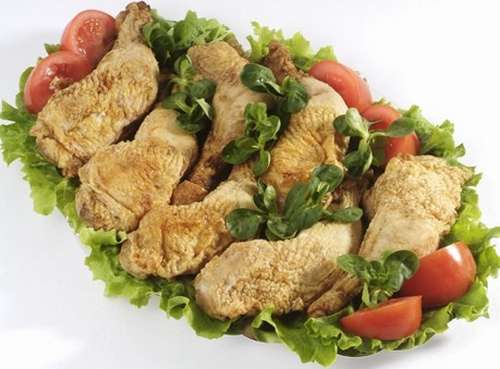
poulet roti.jpg
Pule Permeti

   2430  L   -  1600 lek


Text  Shpjegimi
box3
Oxford Word Magic CD ROM

   2430  L   -  1600 lek


Text  Shpjegimi


kalendrier
PortaL © Mars 2015-Reproduction interdite

Ngjitu Sipėr